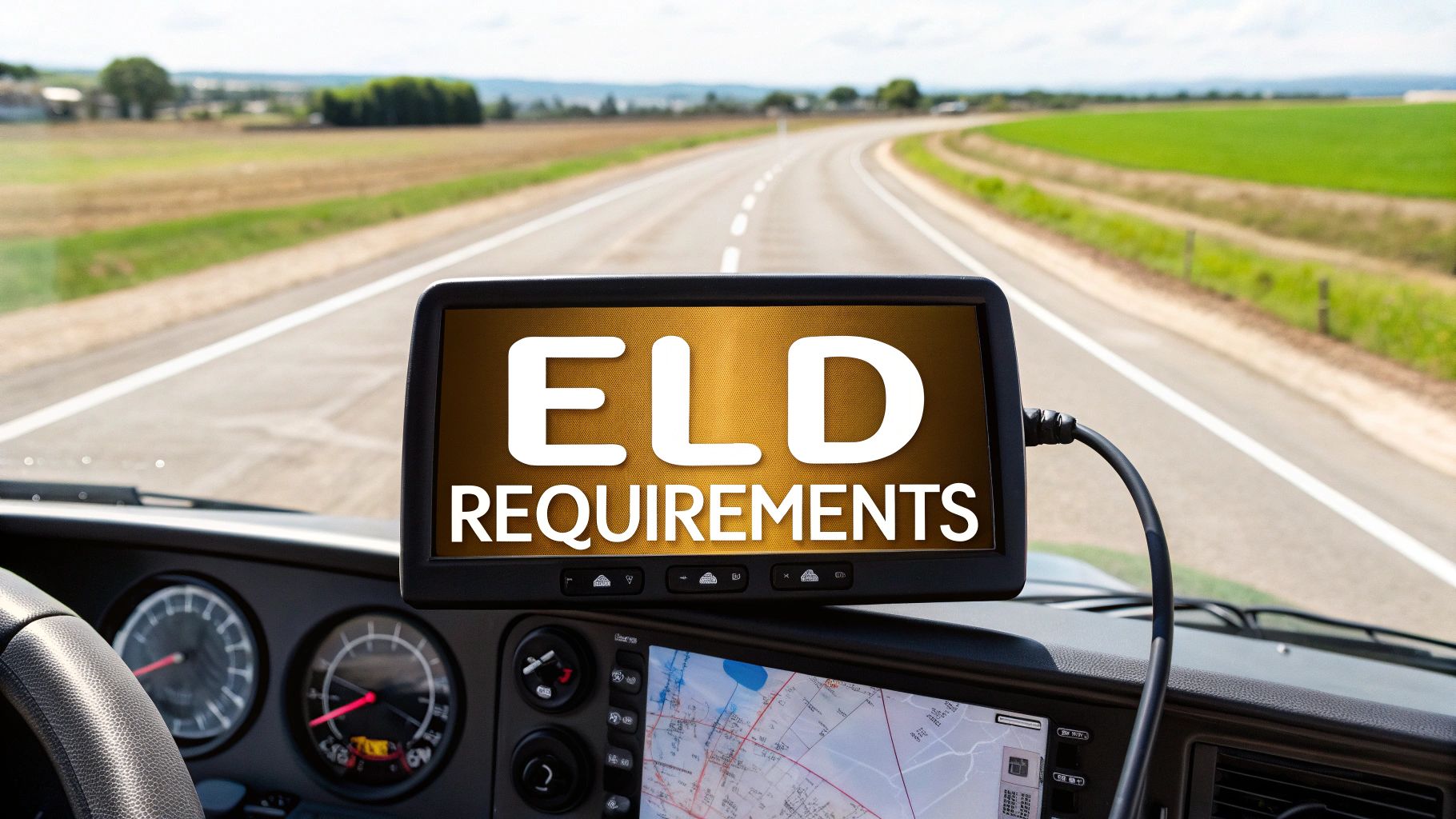
The core idea behind electronic logging device requirements is simple: most commercial truck drivers now have to use a certified ELD to automatically track their Hours of Service (HOS). This move replaced the old paper logbooks for a reason—it's all about boosting compliance, cutting down on driver fatigue, and ultimately making our roads safer for everyone.
What Is the ELD Mandate
Think of an electronic logging device (ELD) as a high-tech, automated logbook for a commercial truck. It's a bit like a Fitbit for the vehicle; instead of counting steps, it precisely logs driving time, engine hours, and vehicle movement. This isn't just about adding new gadgets to the cab—it’s technology designed to create a safer work environment and make it easier to stay on the right side of federal rules.
The main goal of the ELD mandate is to make sure drivers stick to the Hours of Service (HOS) regulations. These are the rules that put a cap on driving time and ensure drivers get the rest they need. For decades, drivers used paper logs, but they were a real headache to verify and, frankly, easy to fudge. By plugging directly into the truck's engine, an ELD creates an accurate and tamper-resistant record of what a driver is actually doing.
The Shift to Digital Accountability
The move to ELDs really shook up the trucking world. The Federal Motor Carrier Safety Administration (FMCSA) made it official back in December 2017, requiring commercial drivers to use certified devices to log their duty hours. This wasn't a small change; it affects millions of drivers behind the wheel of vehicles weighing over 10,000 pounds.
What this really meant was a complete transition to paperless logging. It's a big jump, but one that not only improves accuracy but also frees drivers from a mountain of administrative paperwork, letting them concentrate on driving safely.
The ELD Rule is not just about technology; it's about accountability. It ensures that every driver has a verifiable record of their work and rest, which is fundamental to preventing the dangerous consequences of driver fatigue.
Core Components of the Rule
To really get a handle on the mandate, it helps to break it down. The table below gives a quick snapshot of the essential parts, outlining what the rule demands and who needs to pay attention. Getting these basics down is the first step for anyone navigating the world of commercial driving.
Key Components of the ELD Mandate at a Glance
| Component | Description |
|---|---|
| Who Must Comply | It applies to most commercial drivers who are required to keep a Record of Duty Status (RODS) and operate across state lines. |
| What It Requires | Using an FMCSA-registered ELD that automatically records driving time, engine data, and location information. |
| Primary Goal | To make roads safer by enforcing HOS rules, reducing tired driving, and ensuring driver logs are accurate. |
| Key Functionality | The device has to sync with the truck’s engine, log data on its own, and be ready to transfer that data to law enforcement during an inspection. |
Understanding these core pieces is crucial. The ELD isn't just a compliance tool; it’s a system designed to support the driver and promote safety across the entire industry.
Who Is Required to Use an ELD?
Figuring out if you need an electronic logging device can feel like untangling a mess of regulations. But the Federal Motor Carrier Safety Administration (FMCSA) rules really boil down to a few core ideas. Essentially, if you're a commercial driver who already has to keep a Record of Duty Status (RODS), the ELD mandate is likely for you.
The rule primarily targets most commercial drivers who cross state lines. If your job involves driving a qualifying truck or bus in interstate commerce, you almost certainly need an ELD. The goal is to create a level playing field for tracking Hours of Service and keep drivers safe on long hauls.
Key Factors That Trigger the Requirement
To know for sure, you just have to check your daily operations against the FMCSA's main criteria. It’s less about what you're hauling and more about how and where you drive. A trucker running goods from California to Texas is an obvious case, but a regional driver who pops across a state line for even a short trip often falls under the same rule.
Understanding these triggers is the first step. If you're new to the industry, it's crucial to get a solid grip on everything from licensing to regulations. You can get a full picture of what it takes to get started by reviewing the complete CDL requirements that lay out the whole process.
This visual guide breaks it down nicely, helping you see at a glance if your vehicle and routes put you under the mandate.
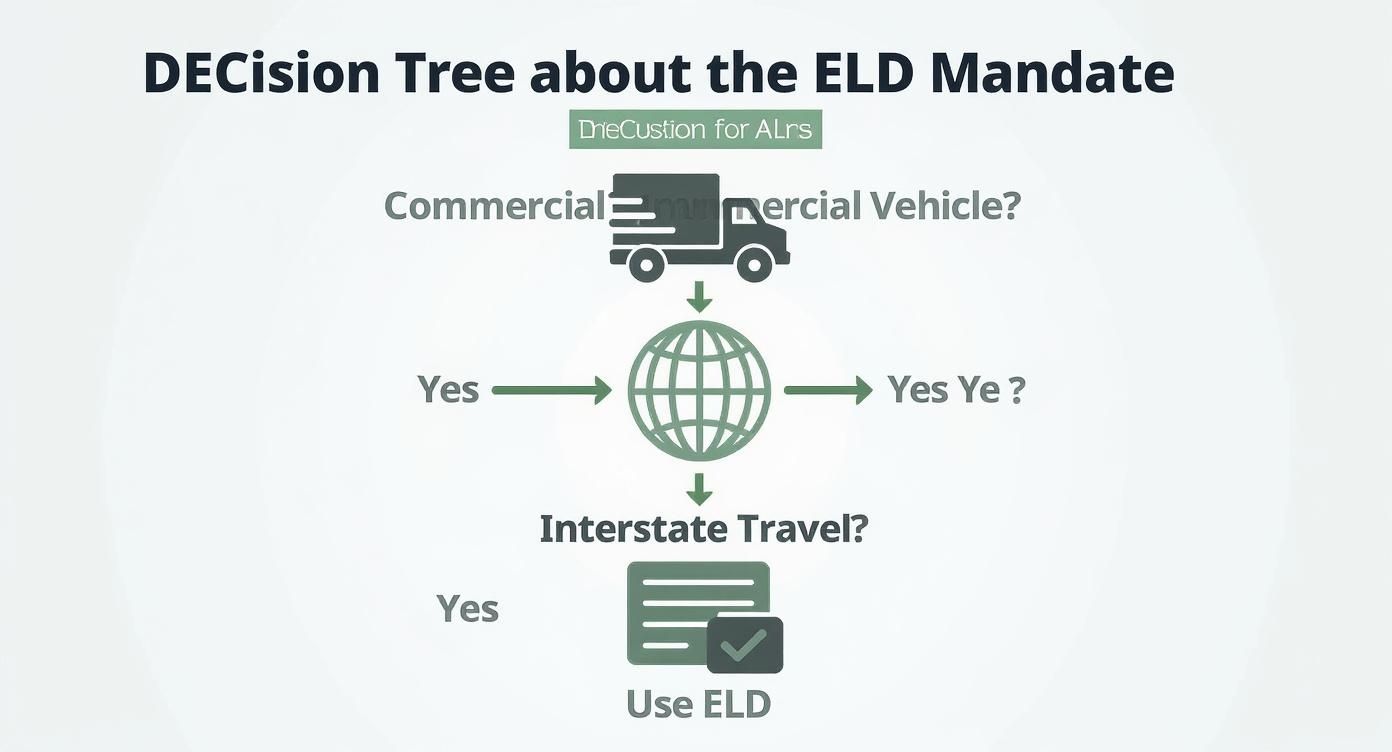
As the infographic shows, it all starts with operating a commercial vehicle and engaging in interstate travel. From there, the specifics narrow it down.
The rule isn't meant to be a one-size-fits-all regulation. It specifically targets the segment of the industry where drivers are most likely to face fatigue from long hours on the road, which is why interstate travel is a key trigger.
If you fit this general description, you probably need an ELD. But there’s a key detail that hinges on how often you actually need to fill out a logbook.
The 8-in-30 Day Rule
One of the most important pieces of the electronic logging device requirements is what’s known as the "8-in-30 day" rule. This rule is for drivers who don't need to keep logs every single day, and it provides a clear line in the sand for when an ELD becomes mandatory.
Here’s the breakdown:
- The Threshold: If you have to keep a Record of Duty Status (RODS) on more than 8 days within any rolling 30-day period, you must use an ELD.
- The Exception: If you only need RODS on 8 days or fewer in a 30-day window, you can stick with paper logs on those days. No ELD required.
This gives some breathing room to drivers who only occasionally take trips that require logs. Think about a local contractor who usually stays close to home but takes a longer job once or twice a month that puts them outside the short-haul exemption. As long as that doesn't happen on more than eight days in any 30-day stretch, they can just use paper logs for those specific days.
This rule is a practical way to separate full-time, long-haul drivers from those who are mostly local but sometimes go the distance. We'll dive into more specific exemptions next, but understanding this core rule is your starting point.
Navigating Exemptions and Special Driving Cases
While the ELD mandate cast a wide net, it wasn't meant to be a one-size-fits-all rule. The Federal Motor Carrier Safety Administration (FMCSA) was smart enough to carve out specific exemptions for certain drivers and operations. Knowing where you stand is crucial, whether you're managing a fleet or driving your own rig.
Think of these exemptions less as loopholes and more as practical allowances for situations where a full ELD setup just doesn't make sense. But be warned: claiming an exemption isn't a free pass. You still need to keep meticulous records and know the rules inside and out to prove you qualify if you're pulled over for an inspection.
The Short-Haul Exemption
One of the most common exemptions you'll see is for short-haul drivers. This is built for operations that stay local and get their drivers home every night. Picture a local delivery service or a construction company whose trucks rarely venture too far from the home base.
To qualify for this, a driver has to check a few boxes:
- They must operate within a 150 air-mile radius of their home terminal.
- They need to start and end their shift in the same location.
- The entire workday, including driving and on-duty time, has to wrap up within 14 consecutive hours.
If you meet these conditions, you don't need an ELD. However, you absolutely must keep time records showing the driver's start time, end time, and total hours on the clock each day. And you have to hold onto those records for six months. It’s a common-sense rule that offers flexibility for local businesses.
Pre-2000 Rigs and Driveaway-Towaway Ops
Two other big exemptions deal with older trucks and very specific types of jobs. These exceptions handle the practical realities of vintage vehicles and unique business models where old-school paper logs still work best.
First up is the pre-2000 vehicle exemption. It’s simple: if the truck's engine was manufactured before the model year 2000, you don't need an ELD. This is mainly a technical issue. Many older engines don't have the electronic control module (ECM) that an ELD needs to plug into.
The other is for driveaway-towaway operations. This is for when the truck being driven is the product being delivered—like when a driver is moving a brand-new truck from the factory to a dealership. In these situations, an ELD isn't required, though drivers still need to keep paper logs if they don't qualify for the short-haul exemption.
The logic here is all about practicality. It just doesn't make sense to force an ELD into a classic Peterbilt or a rig that's being delivered as cargo. That was never the point of the mandate, which was designed to monitor ongoing Hours of Service for active freight haulers.
Keeping Your Ducks in a Row to Prove It
Claiming an exemption doesn't mean you can just ignore the paperwork. When an inspector is looking at your records, the burden is on you to prove you fit the criteria. If you can't, you're looking at some pretty hefty fines.
For example, a short-haul driver might occasionally have to go beyond that 150 air-mile bubble. On those days, they must fill out a paper log. But if that happens more than eight days in any 30-day period, the exemption is gone, and they have to install an ELD. Good documentation is your best friend here.
On top of federal rules, you always have to keep state-level regulations in mind. If you’re running routes in the Golden State, you'll want to stay on top of their specific rules. You can learn more about trucking regulations in California to make sure you’re covered on all fronts. At the end of the day, keeping detailed records isn't just a suggestion—it's what keeps you compliant and your wheels turning.
What Really Makes an ELD Compliant?
Choosing a reliable ELD is more than just plugging a gadget into your truck’s diagnostic port. For both drivers and fleet operators, it's about making sure every piece of the system lines up perfectly with federal rules to ensure safety and data you can trust.
Every ELD worth its salt has to be on the FMCSA’s registered list, which means it’s gone through some serious testing. Registration is the official nod that a device meets the technical specs laid out in 49 CFR 395.2 and can handle data securely without being tampered with.
With that foundation, let's dive into the nuts and bolts of what truly makes a device compliant. We'll break down the must-have functions and why the provider matters, so you know exactly what to look for.
The Non-Negotiable Technical Functions
At its core, a compliant ELD has to talk directly to the engine. It must automatically record the engine power status and vehicle motion status by integrating with the engine control module (ECM). No manual input, no guesswork.
It also needs to capture GPS location at set intervals, and that data has to be accurate to within a 1-mile radius. This isn't just about dots on a map; it's about verifying duty status changes with precise location stamps.
Motion detection is another critical piece of the puzzle. The device has to know the second the truck starts moving and log it accordingly. This simple function is what prevents gaps in a driver's log and ensures every minute is accounted for on a long haul.
Tamper resistance is absolutely essential. The ELD needs built-in safeguards to detect and log any attempt to alter or delete records. This creates an unchangeable audit trail that holds up under scrutiny.
Finally, the device must securely store all supporting documents and logs for the previous 8 days. This ensures a roadside officer can pull up all the necessary data right then and there, making inspections smooth and quick.
To really get a handle on this, it helps to understand the features of an ELD device that are designed to meet these tough regulatory standards.
Why FMCSA Registration Actually Matters
It might be tempting to save a few bucks on an unregistered device, but that’s a risky gamble. Using a non-registered ELD can get you hit with fines up to $1,000 per violation and land your drivers in time-consuming off-duty inspections.
“Think of an FMCSA-registered ELD as your official seal of approval. It’s your guarantee that the device logs Hours of Service accurately and keeps you on the right side of the law.”
An official listing is proof that the manufacturer did their homework and met all the required testing and performance benchmarks.
Registration also means the manufacturer is on the hook for pushing out firmware updates whenever the rules change, like when there are HOS adjustments or new data protocols. Your device stays compliant long-term, even as the regulations evolve. Choosing a registered solution is just smart business—it cuts your operational risk and saves you from having to replace your equipment down the road.
Questions to Grill Your ELD Provider With
Before you sign any contract, it’s time to play detective. Asking the right questions can tell you a lot about a provider’s technical support and whether their product is built to last.
Here are a few to get you started:
- How do you handle firmware updates? Are they automatic, and will they cause any downtime?
- Can the device export data for audits in both XML and CSV formats?
- What specific tamper-detection features are built into the hardware and software?
- Do you offer 24/7 technical support, and can you troubleshoot problems remotely?
Getting clear answers to these questions helps you invest in a solution that not only keeps you compliant but also makes managing your fleet easier. The right device means less downtime and a lot more peace of mind.
Ultimately, understanding these technical requirements helps fleet managers sidestep penalties and genuinely support driver safety. Investing in a robust, certified ELD builds operational confidence and makes those roadside audits a whole lot less stressful.
A good practice is to regularly check device logs for any weird anomalies and make sure your drivers are well-trained on how to use the system properly. This proactive approach is the best way to keep compliance risks low and safety standards high.
Getting ELDs Set Up Across Your Fleet
Rolling out electronic logging devices isn't as simple as just buying the hardware and plugging it in. A rushed or sloppy implementation is a surefire way to get frustrated drivers, vehicle downtime, and some very expensive compliance gaps. Think of this as your roadmap to a smooth transition, covering everything from picking the right device to getting your drivers trained and ready.
First things first, you have to choose the right ELD provider. The market is flooded with options, so it's easy to get overwhelmed. You'll see a lot of embedded ELDs—the kind that are hardwired into the truck. They hold the biggest market share right now, mostly because they're often cheaper and simpler to install. But don't overlook the integrated systems. These are gaining traction because they do more than just track hours; they offer advanced telematics that can give you a much clearer picture of your entire operation.
https://www.youtube.com/embed/eb-MBBU66IA
Create a Phased Rollout Plan
Trying to switch your entire fleet over to ELDs in one weekend is a recipe for chaos. A phased approach works so much better.
Start small. Pick a handful of your most tech-savvy drivers to form a pilot group. Let them test the new devices in the real world. This is your chance to find and fix any technical glitches, get honest feedback, and polish your training program before it goes live for everyone else.
When it comes to scheduling the actual installations, be smart about it. Work with your provider to get the devices installed during scheduled maintenance or other planned downtime. That way, you're not pulling trucks off the road when they should be making you money. A little bit of planning here goes a long way.
The success of an ELD rollout isn't just about the technology—it's about the people. A plan that prioritizes clear communication and practical training will always outperform one that simply drops new devices into cabs and hopes for the best.
This step-by-step strategy also helps you build some positive momentum. When other drivers see the pilot group using the ELDs without any major headaches, they'll be far less resistant when it's their turn.
To help you stay organized, here's a checklist you can follow to manage your fleet's transition from start to finish.
ELD Implementation Checklist for Fleets
| Phase | Key Action Items | Success Metric |
|---|---|---|
| 1. Selection | Research and vet at least 3 ELD providers. | Selected provider meets 100% of FMCSA technical requirements. |
| Conduct demos with top contenders and get driver feedback. | 90% positive feedback from the driver review panel. | |
| 2. Pilot Program | Identify 5-10 drivers for a pilot test group. | Pilot group successfully operates without major issues for 30 days. |
| Install devices in pilot vehicles and conduct initial training. | Zero HOS violations recorded by the pilot group during the test period. | |
| 3. Training | Develop a hands-on training curriculum based on pilot feedback. | All drivers pass a practical skills test on ELD operations. |
| Schedule and conduct mandatory training sessions for all drivers. | 100% driver attendance and completion of the training program. | |
| 4. Full Rollout | Create an installation schedule that aligns with vehicle downtime. | Entire fleet is equipped with ELDs by the target deadline. |
| Establish a dedicated support channel for driver questions. | Support tickets are resolved within 24 hours on average. | |
| 5. Post-Launch | Set up a system for managing and storing supporting documents. | Document retrieval process is tested and verified during a mock audit. |
| Regularly review HOS data for compliance patterns and issues. | Fleet-wide HOS violations decrease by 50% within 90 days. |
This checklist provides a clear path, but remember that driver buy-in is the real key. Solid training and ongoing support are what will ultimately make or break your implementation.
Essential Driver Training and Support
Your drivers are on the front lines, so their training is easily the most critical piece of this puzzle. Don't just throw a user manual at them and call it a day. You need hands-on training sessions that walk them through the real-world situations they'll face out on the road.
Make sure you nail these core skills, which are vital for meeting electronic logging device requirements and sailing through roadside inspections.
- Managing Duty Status: Every driver needs to be completely comfortable switching between On-Duty, Off-Duty, Sleeper Berth, and Driving.
- Log Annotations: Show them how to add notes to explain edits or special situations, like using Personal Conveyance or Yard Move.
- Data Transfer: Run drills on how to transfer HOS data to an officer during a mock inspection. This builds confidence and makes a real stop way less stressful.
- Troubleshooting Malfunctions: Give them a simple, clear protocol for what to do if the device glitches, including how to switch over to paper logs and who to call for help.
Good training turns an ELD from a confusing mandate into a genuinely helpful tool. It's also the perfect opportunity to reinforce other good habits, like daily vehicle checks. For a solid refresher on that fundamental skill, you can check out our guide on how to conduct a proper pre-trip inspection.
Managing Supporting Documents
Finally, remember that implementation goes beyond the device itself. The ELD rule requires you to keep supporting documents for six months to verify what the logs say. We're talking about fuel receipts, bills of lading, dispatch records—anything that backs up the HOS data.
You need a clear, organized system for collecting and storing these documents, preferably digitally. Think of this as your final line of defense in an audit. It’s the proof you need to back up your ELD data, solidifying your fleet’s compliance and protecting your business from violations.
Common ELD Compliance Pitfalls to Avoid
Just having an ELD in the cab doesn't guarantee compliance. I've seen countless fleets run into trouble by falling into the same common traps, even when they think they're doing everything right. These little mistakes can quickly snowball into expensive fines and a hit to your CSA score.
Knowing where things can go wrong is the first step to building a bulletproof compliance strategy. From unassigned driving time to fuzzy duty statuses, every little error creates a red flag that inspectors are trained to spot. The trick is to get ahead of these issues with solid policies and regular training.
Mishandling Unassigned Driving Time
One of the biggest headaches I see is poorly managed unassigned driving time. This happens anytime a truck moves without a driver logged into the ELD. The system flags the movement, but since it can't link it to anyone, it creates a messy compliance problem waiting to be discovered.
It often happens innocently—a mechanic moves a truck in the yard or a driver forgets to log in before shifting a trailer. The best way to stay on top of this is to make it a non-negotiable daily task. Someone, usually a fleet manager, needs to review these events every single day, figure out who was behind the wheel, and assign the time with a clear note. Every second of vehicle movement has to be accounted for.
Improper Use of Special Duty Statuses
Another area ripe for violations is the misuse of special statuses like Personal Conveyance (PC) and Yard Move (YM). These aren't loopholes to squeeze in a few extra miles. They are designed for very specific situations, and inspectors know exactly what to look for.
Using Personal Conveyance to get a load closer to its destination is a major red flag. That status is only for genuine personal use when you're off-duty, like driving from the terminal to a hotel for the night.
The same goes for Yard Move—it’s strictly for moving trucks on private property, not on public roads. You need clear, written policies that spell out exactly when and how a driver can use these statuses. Without that guidance, it's easy for drivers to make an honest mistake that turns into a serious HOS violation during an audit. This constant need for diligence is a big reason why the demand in the electronic logging device market remains so steady, particularly in the U.S.
Forgetting Daily Log Certification
This one is simple, but it trips people up all the time: drivers forgetting to certify their logs daily. At the end of every 24-hour cycle, the driver must review their Record of Duty Status (RODS), confirm its accuracy, and hit "certify." It’s their digital signature, attesting that the record is true.
Skipping this step is a direct violation and one of the easiest things for an officer to cite. The fix is straightforward: make log certification part of the driver's end-of-day routine, just like their post-trip inspection. Fleet managers can easily track this and send a quick reminder to anyone who forgets, helping to build a habit that sticks.
Frequently Asked Questions About ELD Requirements
Even if you’ve got the rulebook memorized, real-life situations can still trip you up. That’s why we’ve collected the most common questions about electronic logging device requirements. Dive in and find straightforward answers to help you stay compliant on the road.
What Happens if My ELD Malfunctions on the Road
Imagine your ELD going dark like a flashlight running out of batteries. From there:
- Notify your motor carrier in writing within 24 hours.
- Switch to paper logs to rebuild your record of duty status (RODS) for the current 24-hour period and the past seven days.
- Your carrier has eight days to repair or replace the device or to apply to the FMCSA for an extension.
This process keeps everyone honest and ensures you avoid compliance gaps.
Can I Edit an ELD Log Entry
Mistakes happen—maybe you tapped the wrong status by accident. As long as you follow the rules, you can fix those slips:
- Both drivers and authorized carrier staff can amend log records for genuine errors.
- Every update requires a clear annotation explaining why you made the change.
Note: Automatically recorded driving time is sacrosanct. You can’t shorten or delete those entries, and the ELD preserves the original data for a transparent audit trail.
Think of it like updating a bank statement: you can correct a typo, but you can’t erase the transaction itself.
How Does Personal Conveyance Work with an ELD
Personal Conveyance (PC) is the off-duty status you choose when driving your commercial vehicle for personal reasons—say, heading to grab a bite. When using PC:
- Select Personal Conveyance on your ELD.
- These miles are logged but don’t count against your on-duty hours.
- On top of that, carriers should have a written policy defining acceptable PC use to avoid gray areas.
A solid understanding of all driving regulations sets the foundation for a safe career behind the wheel. If you’re preparing for your initial certification, reviewing topics on the general knowledge test will give you a head start.
Ready to kick off a rewarding career on the open road? Patriot CDL offers hands-on training designed to get your commercial driver’s license quickly and affordably. Enroll in our accelerated program today