


An FMCSA Pre-Employment Screening Program report can shape a commercial driver's job application because it summarizes federally reported crash and roadside inspection history. Reviewing your own PSP report before applying lets you understand the data, prepare accurate explanations, and challenge genuine errors before they surprise you in hiring.
This guide explains what a PSP report contains, what it does not contain, how drivers and prospective employers access it, and how the FMCSA DataQs process works. PSP rules and online procedures can change, so use the official links provided and confirm the current process before ordering or submitting a review request.

Quick Answer: Review Your PSP Before a CDL Job Application
The FMCSA PSP report provides a commercial driver's five-year FMCSA-reportable crash history and three-year roadside inspection history from the Motor Carrier Management Information System. It is a national federal safety-history report, not a Pennsylvania driving record and not a drug-and-alcohol report.
Drivers can request their own PSP record through the official system at any time. A prospective motor carrier may request a report for pre-employment screening only after obtaining the driver's written consent. FMCSA describes carrier participation in PSP as voluntary, but an individual carrier may include consent and PSP review in its hiring process.
What Is the FMCSA Pre-Employment Screening Program?
PSP is an FMCSA program that gives commercial drivers secure access to their own federal crash and inspection history and allows participating motor carriers to obtain the same type of report for a prospective driver's pre-employment screening. The data comes from FMCSA's Motor Carrier Management Information System, commonly called MCMIS.
PSP is designed to support a hiring decision. It is not a public people-search tool. FMCSA's privacy framework limits access to the driver and to prospective motor carriers using the information for pre-employment screening with written consent. The driver should read the consent language, identify the requesting carrier, and keep a copy of any authorization signed.
Why a new CDL driver should care
A student may have no PSP entries because the person has not yet operated a commercial motor vehicle in activity that produced an FMCSA-reportable crash or roadside inspection. An experienced driver may have several clean inspections, inspections with violations, crashes, or events associated with different employers. A report is not a pass-or-fail certificate; it is source information that a carrier may evaluate under its qualification and insurance standards.
PSP is also different from the state licensing record covered in our Pennsylvania CDL driver record and MVR guide. A responsible pre-hire audit reviews each relevant system rather than treating one report as a complete background check.
What Does a PSP Report Show?
| PSP section | Lookback period | What to review |
|---|---|---|
| FMCSA-reportable crashes | Five years | Date, state, carrier association, power unit, event details, and any displayed preventability notation |
| Roadside inspections | Three years | Inspection date, report number, state, inspection level, carrier, vehicle, violations, and out-of-service indicators |
| Driver identity | Current report identifiers | Name and identifying details used to match the safety records |
| Report update information | Latest PSP data load | Whether a recent correction or inspection may still be awaiting a monthly update |
The lookback period is measured from the most recent PSP monthly update, not simply from the minute the driver downloads the report. FMCSA's DataQs Help Center says PSP includes five years of reportable crashes and three years of inspections and that PSP is updated monthly.
A crash entry does not automatically establish fault
PSP crash data identifies an FMCSA-reportable event involving the driver; it does not automatically mean the driver caused it. FMCSA's Crash Preventability Determination Program allows eligible crashes to be reviewed through DataQs. When FMCSA determines an eligible crash was not preventable, that result is noted in PSP. Eligibility, evidence requirements, and the result are separate from a traffic-court case or insurance decision.
An inspection is more than a traffic ticket
A roadside inspection can appear even when no citation was issued. Conversely, DataQs states that PSP reports do not display citation or conviction data. Review the inspection itself: level, violations, out-of-service status, vehicle information, carrier, and report number. A state MVR or court record answers different questions about citations and convictions.
PSP vs. MVR, Clearinghouse, CSA, and Other Records
| System or record | Main information | What it does not replace |
|---|---|---|
| FMCSA PSP | Five-year reportable crash and three-year roadside inspection history | State licensing record, drug-and-alcohol query, court record, or prior-employer investigation |
| State MVR | License class and status, convictions or violations, and state licensing actions | Federal roadside inspection and MCMIS crash history |
| FMCSA Clearinghouse | FMCSA-regulated drug and alcohol program records and driver status | Crash, inspection, and licensing history |
| CSA / SMS carrier data | Safety data used in FMCSA's carrier monitoring and prioritization | An individual driver's PSP report |
| Previous-employer safety history | Employment verification and qualifying safety-performance information | PSP, MVR, or required Clearinghouse process |
PSP is not a personal “CSA score.” FMCSA describes PSP as voluntary and separate from the Compliance, Safety, Accountability program. A report can show inspections and violations, but drivers should be cautious with companies that claim to sell a definitive personal CSA score.
PSP also does not reveal whether a driver is prohibited from safety-sensitive work because of an FMCSA drug or alcohol violation. That status belongs to the FMCSA Clearinghouse process for CDL drivers.
How to Request Your Own PSP Report
- Use the official PSP website. Start at , not an advertisement or an unrelated background-check service.
- Create or access the required account. As of August 12, 2026, PSP states that multifactor authentication is required and login is handled through Login.gov.
- Enter identity information accurately. Use the legal name and credential information associated with your commercial driving history. Identity mismatches can lead to missing or incorrect results.
- Review the current transaction terms. Confirm any displayed fee, permitted access period, and download instructions before paying.
- Download promptly. PSP currently says previously requested records remain viewable for five days, or 120 hours. Save the report securely on a personal device.
- Protect the report. It contains personal and employment-related safety information. Share it only through a trusted method with an authorized recipient.
Drivers may also enroll in PSP Monitoring. FMCSA describes this as a free, optional driver-only service that sends an email when the PSP record changes. A notification does not explain whether the new information is correct, so log in, review the update, and compare it with the relevant inspection or crash documentation.
How to Read a PSP Report Step by Step
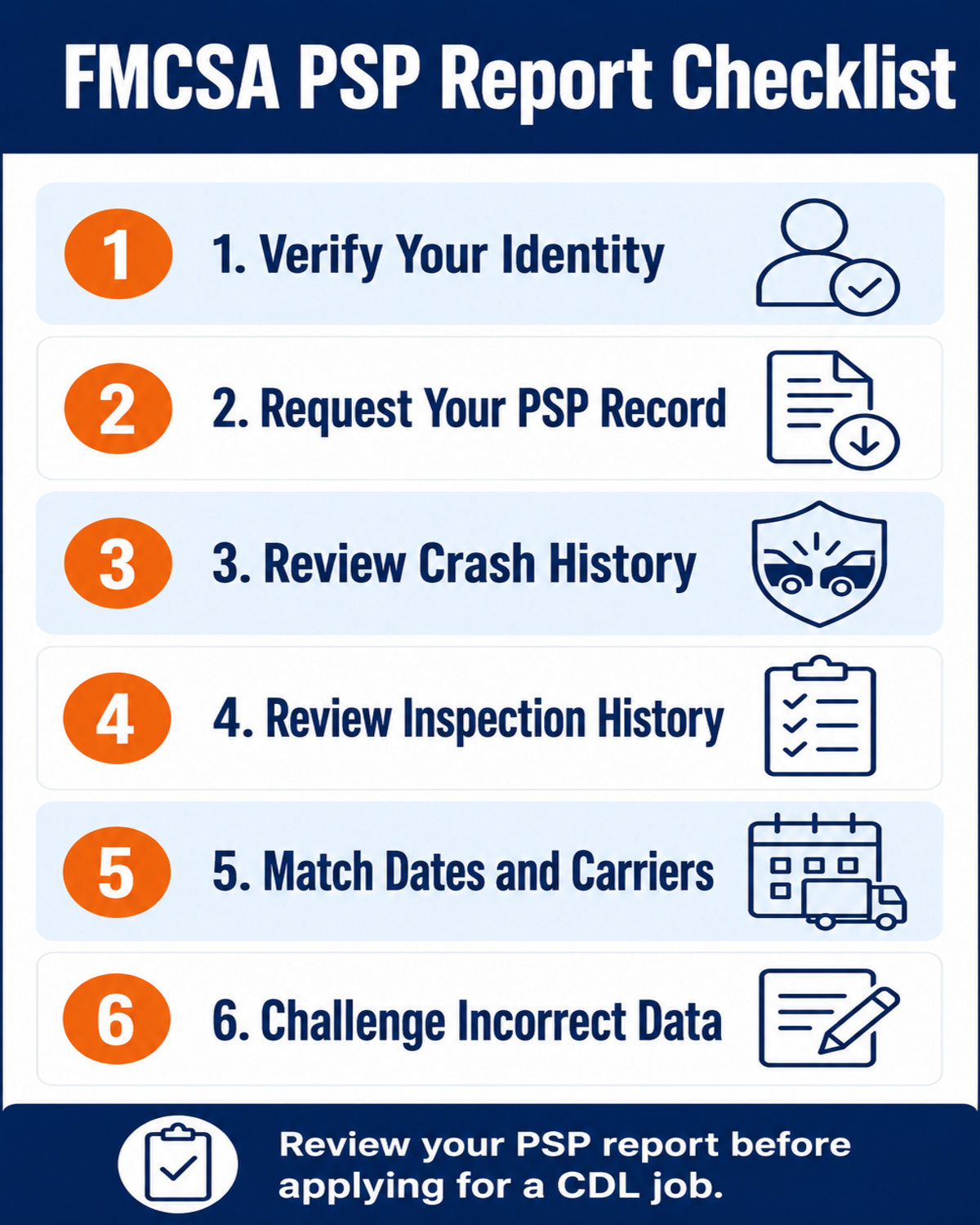
1. Verify identity before analyzing events
Confirm that the report belongs to you and that the identifying data is accurate. A similar name, transposed license number, or incorrect state could attach or omit a record. If identity information is wrong, do not assume every event is yours.
2. Read every crash entry neutrally
Write down the date, location, carrier, report identifiers, vehicle, and any preventability notation. Compare each entry with your log, police report, carrier documents, insurance correspondence, photographs, video, or other evidence. “Reportable” does not mean “preventable,” and “not cited” does not necessarily mean an FMCSA-reportable crash will be absent.
3. Review inspections in chronological order
For each inspection, check the inspection level, state, date, carrier, unit information, violations, and driver or vehicle out-of-service indicators. Separate a clean inspection from an inspection with violations. Then separate driver-related items from vehicle-related items; both may appear in a report, but the context can matter to an employer.
4. Match the event to the correct carrier and equipment
A PSP record can span several employers. A wrong carrier, power-unit number, vehicle plate, or inspection date may help identify the source of an error. Keep the inspection report you received roadside and compare it with the PSP line by line.
5. Look at timing before concluding a correction failed
PSP updates monthly. DataQs explains that a correction decision and the corresponding PSP update do not necessarily happen on the same day. Retain the DataQs decision, watch the next data load, and order a new report when appropriate to confirm the change.
How Prospective Employers May Use PSP
A participating motor carrier can request a PSP report to evaluate a prospective driver, but it must obtain written consent and certify that the request is for pre-employment screening. PSP is not intended as unrestricted ongoing surveillance of current employees. Read any authorization before signing and ask which company will receive the report.
Federal qualification rules still require motor carriers to conduct other investigations and inquiries. For example, 49 CFR 391.23 requires state motor vehicle record inquiries covering the preceding three years and investigation of qualifying safety-performance history from prior DOT-regulated employers. PSP can help inform a carrier; it does not erase these separate obligations.
Carrier standards vary. Some weigh recent driver out-of-service violations heavily. Others consider frequency, severity, clean inspections, experience, time since the event, documentation, and insurer rules. Be factual and concise. Do not minimize a real event, invent a correction, or blame a prior carrier without documentation.
If an entry also suggests a license sanction, review the separate rules for Pennsylvania CDL disqualifications and restoration. A PSP correction does not by itself restore a suspended or disqualified CDL.
How to Challenge Incorrect PSP Data Through DataQs
FMCSA directs drivers who believe PSP information is incorrect or incomplete to DataQs. A Request for Data Review, or RDR, asks the agency responsible for the source data to review the disputed item. DataQs registration and submission are available to drivers at no cost.
| Problem | Useful supporting evidence | Important limitation |
|---|---|---|
| Inspection belongs to another driver | CDL identity, employment dates, dispatch or location records, inspection copy | Protect sensitive data and submit only what the review requires |
| Wrong vehicle, carrier, date, or violation | Roadside report, registration, maintenance record, photographs, carrier records | A clear factual explanation is stronger than a general objection |
| Duplicate inspection | Report numbers, matching times and locations, copies showing duplication | Multiple rows can represent multiple violations from one inspection |
| Incorrect crash data | Police report, crash report number, photographs, video, official disposition | Removing accurate data and obtaining a preventability notation are different requests |
| Eligible not-preventable crash | Required police report and evidence specified by the Crash Preventability Determination Program | Only eligible crash types and required evidence receive a determination |
- Create or access your driver account at the official .
- Start a new request and choose the category that matches the crash or inspection issue.
- Locate the correct report using the report number and event details.
- Describe one specific factual problem in plain language.
- Upload legible, relevant supporting documents.
- Save the acknowledgement and monitor messages from the reviewing agency.
- If denied, read the explanation before using the single reconsideration opportunity. DataQs advises supplying meaningful additional evidence.
- After a favorable decision and monthly update, request a fresh PSP report and verify the result.
DataQs is not a negotiation tool for deleting accurate safety data because it affects employment. It is a structured review path for incomplete or incorrect federal and state data. A strong request identifies the exact field, explains the correction sought, and supports it with official records.
PSP Pre-Employment Review Checklist
- □ I requested my report through the official FMCSA PSP website
- □ I saved the report within the current access window
- □ I verified my name and identifying information
- □ I reviewed all five years of displayed crash history
- □ I reviewed all three years of displayed inspection history
- □ I matched each event with the correct carrier and vehicle
- □ I separated reportable crashes from preventability findings
- □ I separated inspections from citations and convictions
- □ I did not treat PSP as an MVR, Clearinghouse record, or CSA score
- □ I collected evidence for any specific factual error
- □ I submitted any correction through DataQs and saved the acknowledgement
- □ I prepared an accurate, concise explanation for an employer
Frequently Asked Questions
How far back does an FMCSA PSP report go?
It includes five years of FMCSA-reportable crash history and three years of roadside inspection history, measured from the most recent monthly PSP data update.
Does a PSP report show tickets, convictions, or a personal CSA score?
DataQs states that PSP does not display citation or conviction data. PSP is separate from CSA and does not provide a personal CSA score. State MVR and court records cover different information.
Can a trucking company get my PSP report without permission?
A prospective motor carrier using PSP must obtain the driver's written consent and certify that the request is for pre-employment screening.
How do I correct a wrong crash or inspection on my PSP?
Submit a Request for Data Review through FMCSA DataQs, identify the exact record and factual error, and attach relevant evidence. After a favorable decision, allow for the monthly PSP update and verify the change with a new report.
Educational information only, not legal advice or a hiring guarantee. PSP, DataQs, Login.gov, carrier policies, fees, and data-update procedures can change. Official FMCSA sources reviewed August 12, 2026.